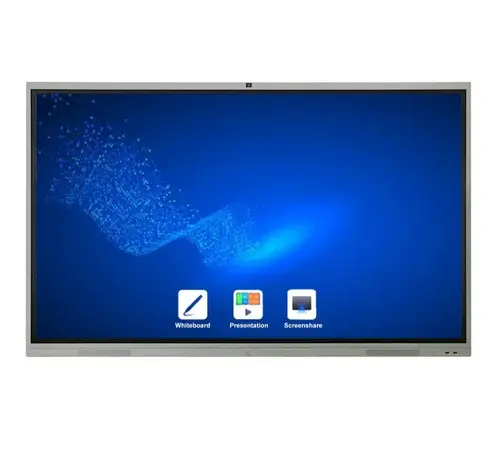
Below are the major features that make this device stand out:
| Feature | Description & Benefit |
|---|---|
| “Pen / Brush” Modes / Notation | Gives a smooth, natural “pen-to-paper” writing experience. Users can select colors, thicknesses; up to 4 people can write simultaneously. (Samsung India) |
| Write on Any Background (Annotation Layer) | You can overlay notes or annotations over any content (slides, images, video) without affecting the original content behind the annotation. (Samsung India) |
| Image / Content Editing | Users can select, move, crop images, merge them into “rolls” (pages), erase, etc. (Samsung India) |
| Touch Out / Screen Sync / Connectivity | Allows connected devices (PCs, mobile) to control or mirror the Flip, enabling real-time collaboration. Changes on either side reflect. (Samsung India) |
| Remote PC / Bluetooth Support | The Flip can be used without a physical PC attached; keyboard / mouse via Bluetooth, remote access to a PC over network. (Samsung India) |
| Built-in Speaker | It has integrated audio so that video or audio content played on it can be heard without external speakers. (Amazon) |
| UHD / 4K Display | The screen resolution is 3,840 × 2,160 (Ultra High Definition), giving crisp visuals. (Samsung India) |
| Tizen OS / Smart Features | The unit runs on Samsung’s Tizen platform, supporting smart signage / management capabilities. (Samsung India) |
| Automatic Screen On / Sensors | Embedded sensors can detect taps / knocks to wake up the screen. (Samsung India) |
| Page / Roll Navigation | The “flip” aspect allows multiple “pages” or canvases of writing (e.g. 20 pages) to scroll through. (Samsung India) |
| Security / Locking | The device supports locking of pages or sensitive content so that unauthorized users cannot access or erase notes. (Samsung India) |
Here’s a summary of the key specs (as known from Samsung / public sources):
| Spec | Value |
|---|---|
| Diagonal Size | 55 inches (Samsung India) |
| Panel Type / Refresh Rate | “New Edge” 60 Hz panel (Samsung India) |
| Resolution | 3,840 × 2,160 (UHD 4K) (Samsung India) |
| Brightness | ~350 nits (typical) (220 nits with glass) (Samsung India) |
| Viewing Angle | 178° horizontal / vertical (Samsung India) |
| Response Time | 8 ms typical (Samsung India) |
| Color / Contrast | Standard gamut (72%) and typical contrast ratio ~4,000:1 (Samsung India) |
| Inputs / Connectivity | HDMI (2 ports), USB (1), RJ45, RS232, Wi-Fi, Bluetooth (Samsung India) |
| Power | 100–240V, ~154 W (on mode) (Samsung India) |
| Dimensions / Weight | 1,297.4 × 768.2 × 59.9 mm (WxHxD) & ~28.6 kg (Samsung India) |
| Mounting / VESA | VESA 400 × 400 mm pattern (Samsung India) |
| Bezel / Frame | ~26.2 mm bezel width (Samsung India) |
Strengths:
Ideal Use Cases:
The Samsung Flip / Flip2 55″ (LH55WMRWBGCXUE / WM55R) is a high-end interactive flipchart display meant to replace traditional flipcharts and whiteboards with a digital, collaborative, flexible platform. It blends high-resolution visual display with natural writing, annotation, and content-sharing capabilities. Its strengths lie in enabling smooth collaboration, multiple-user engagement, and professional meeting-room features.
If your organization regularly conducts interactive sessions, trainings, planning workshops, or hybrid meetings, this device offers a forward-looking, efficient tool. Just ensure your environment (lighting, room setup) and user training match the device’s capabilities for maximum benefit.
Guaranteed safe & secure checkout