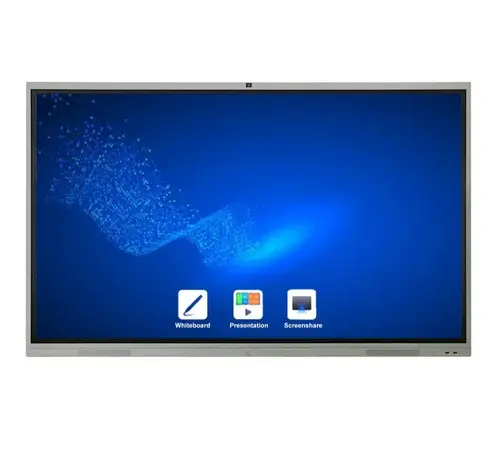
The Samsung LH65WMBWBGCXUE, also known as Samsung Flip Pro WM65B, is a 65-inch 4K UHD interactive display (digital flip chart) designed to replace traditional flip charts, whiteboards, and projector setups. It combines large-screen display, touch interactivity, connectivity, and collaborative software tools to facilitate meetings, teaching, brainstorming, and presentations. (Samsung India)
Samsung positions the Flip Pro series as suitable for learning environments and professional settings, offering intuitive writing/drawing tools, multi-device sharing, and management/remote features. (Samsung India)
2,048 levels of pressure sensitivity for pen/brush modes (Samsung India)
Multi-touch Points
Up to 20 simultaneous touch points, enabling multiple users to interact at once (Samsung India)
What this means in practice:
The resolution ensures content (text, images, diagrams) appears sharp even at close viewing distances.
Low latency and high pressure sensitivity give a natural writing or drawing feel—like writing on paper rather than on a lagging screen.
Multi-touch capabilities make it ideal for interactive group sessions where several participants may want to write or move objects simultaneously.
Interactivity & User Experience
Pen and Brush Modes: Users can choose different writing styles (pen, brush) just like real tools. (Samsung India)
Erase with Gesture: You can erase content by swiping with your finger or palm—intuitive and fast. (Samsung India)
Quick Tools & Palette Menu: Frequently used tools (colors, thickness, shapes, layers) are easily accessible via floating palettes. (Samsung India)
Note Layers: Users can toggle between multiple note layers—keeping different ideas or stages separate for clarity. (Samsung India)
These features provide a more flexible and fluid experience compared to traditional screen annotation or static whiteboards.
Connectivity & Integration
3-in-1 USB-C Port: This port allows video, touch signals, and data plus up to 15W device charging all via one cable. (Samsung India)
Standard Ports: HDMI, USB (Type-A), DisplayPort, LAN (Ethernet) are present for connecting various devices. (Samsung India)
Wireless Screen Sharing:
SmartView+ allows up to 50 devices to connect wirelessly, with up to 4 screens displayed simultaneously. (Samsung India)
AirPlay 2 compatibility lets Apple devices mirror content. (Samsung India)
Operating Environment / OS & Apps:
It runs a Samsung Interactive Display OS (Tizen-based) with built-in support for tools like Workspace, remote PC access, and third-party apps. (Samsung India)
Boxlight MimioConnect is integrated for blended-learning content. (Samsung India)
Remote Management / Content Push: Via Samsung’s MagicINFO remote management, administrators can push notifications, content, or updates to the display. (Samsung India)
These features make the display highly versatile, easy to integrate into classrooms, meeting rooms, or collaborative spaces, and manageable from afar.
Durability & Design
Antimicrobial Coating: The front surface is treated to resist microbial growth—useful in shared environments. (Samsung India)
Shatter-resistant Film: A film overlays the screen to prevent shattering in case of impact. (Samsung India)
Slim / Modern Design: Minimal bezels and slim casing contribute to a contemporary look that blends into classrooms or boardrooms. (Samsung India)
Mounting / Installation Options:
Supports VESA mounting for wall installation. (Smartboards.com)
Optional front connectivity trays or carts are available as accessories. (Smartboards.com)
These design features promote longevity, safety, and aesthetic integration.
Use Cases & Ideal Scenarios
Because of its features, the LH65WMBWBGCXUE suits:
Educational settings — interactive classrooms where teachers and students annotate lessons, share from multiple devices, and switch between content seamlessly.
Business / corporate environments — meetings, brainstorming sessions, training, video calls with on-screen annotations.
Collaborative workspaces / Innovation labs — where multiple participants can interact in real time.
Hybrid / remote work rooms — thanks to remote management, screen sharing, and cloud-enabled tools.